Documentation Index
Fetch the complete documentation index at: https://ryvn.ai/docs/llms.txt
Use this file to discover all available pages before exploring further.
Ryvn API Reference
The Ryvn API allows you to programmatically manage your organizations, environments, services, and deployments. All API endpoints use REST principles and return JSON responses.
Base URL
Authentication
The Ryvn API uses OAuth 2.0 client credentials flow for authentication. All API requests require a Bearer token in the Authorization header:
Authorization: Bearer <your-access-token>
Service user setup
To access the API, you need to create a service user in your organization settings. Navigate to Settings > Service Users and click “Create” to generate your credentials.
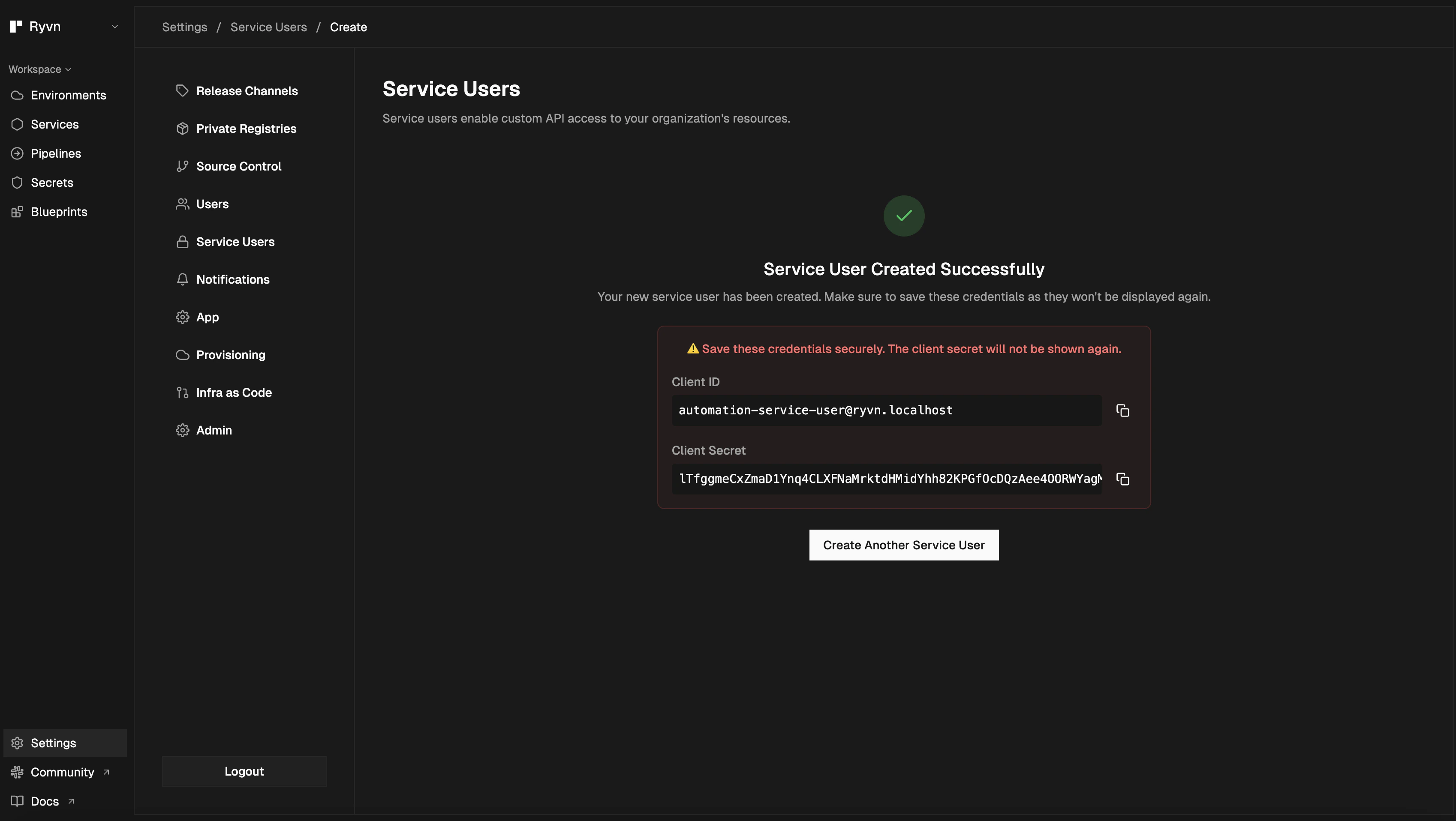 This will provide you with:
- Client ID: Your unique client identifier
- Client Secret: Your secret key for authentication
OAuth token exchange
Once you have your service user credentials, you must exchange them for an access token using the OAuth 2.0 client credentials flow.
Authentication Endpoint: https://auth.ryvn.app/oauth/v2/token
cURL example
curl --request POST \
  --url https://auth.ryvn.app/oauth/v2/token \
  --header 'Content-Type: application/x-www-form-urlencoded' \
  --data grant_type=client_credentials \
  --data 'scope=openid email profile offline_access urn:zitadel:iam:org:project:id:298766811497774120:aud' \
  --user "$CLIENT_ID:$CLIENT_SECRET"
Response
{
  "access_token": "MtjHodGy4zxKylDOhg6kW90WeEQs2q...",
  "token_type": "Bearer",
  "expires_in": 43199
}
Required scopes
The following scopes are required for API access:
openid: OpenID Connect authenticationemail: Access to email informationprofile: Access to profile informationoffline_access: Refresh token capabilityurn:zitadel:iam:org:project:id:298766811497774120:aud: Project-specific audience scope
Code examples
package main

import (
    "context"
    "fmt"
    "golang.org/x/oauth2/clientcredentials"
)

func main() {
    config := clientcredentials.Config{
        ClientID: "your-client-id",
        ClientSecret: "your-client-secret",
        TokenURL: "https://auth.ryvn.app/oauth/v2/token",
        Scopes: []string{
            "openid",
            "email",
            "profile",
            "offline_access",
            "urn:zitadel:iam:org:project:id:298766811497774120:aud",
        },
    }

    token, err := config.Token(context.Background())
    if err != nil {
        panic(err)
    }

    fmt.Printf("Access Token: %s\n", token.AccessToken)

}
import requests

def get_access_token(client_id, client_secret):
    url = "https://auth.ryvn.app/oauth/v2/token"

    data = {
        'grant_type': 'client_credentials',
        'scope': 'openid email profile offline_access urn:zitadel:iam:org:project:id:298766811497774120:aud'
    }

    response = requests.post(
        url,
        data=data,
        auth=(client_id, client_secret)
    )

    return response.json()['access_token']

# Usage
access_token = get_access_token('your-client-id', 'your-client-secret')
async function getAccessToken(clientId, clientSecret) {
    const response = await fetch('https://auth.ryvn.app/oauth/v2/token', {
        method: 'POST',
        headers: {
            'Content-Type': 'application/x-www-form-urlencoded',
            'Authorization': `Basic ${btoa(`${clientId}:${clientSecret}`)}`
        },
        body: new URLSearchParams({
            grant_type: 'client_credentials',
            scope: 'openid email profile offline_access urn:zitadel:iam:org:project:id:298766811497774120:aud'
        })
    });

    const data = await response.json();
    return data.access_token;
}

// Usage
const accessToken = await getAccessToken('your-client-id', 'your-client-secret');
Using the access token
Once you have an access token, include it in the Authorization header for all API requests:
curl -H "Authorization: Bearer your-access-token" https://api.ryvn.app/v1/orgs
Token expiration
Access tokens expire after the time specified in the expires_in field (typically 12 hours). You will need to request a new token when the current one expires. Consider implementing token caching and automatic refresh in your applications to handle this gracefully.