
Environment variables let you configure your installations without changing code. They’re perfect for API keys, database URLs, and other configuration that changes between environments.Documentation Index
Fetch the complete documentation index at: https://ryvn.ai/docs/llms.txt
Use this file to discover all available pages before exploring further.
Managing variables
Use UPPERCASE_WITH_UNDERSCORES format for environment variable names (e.g.,
DATABASE_URL, API_KEY).Importing environment variables
You can import multiple environment variables at once using standard .env file format:Supported format
The import feature supports standard .env file format:- Each line should contain a single variable in
KEY=VALUEformat - Comments (lines starting with
#) are ignored - Empty lines are ignored
- Values can be quoted (both single and double quotes are supported)
Imported variables are added to your existing variables. If a variable with the same name already exists, the imported
value will replace the existing one.
Linking outputs
Link environment variables to outputs from other service or blueprint installations instead of hard-coding values. The value resolves at deploy time — when the source installation’s outputs change, downstream installations automatically redeploy with the updated values. You can link outputs when installing a new service or when editing an existing installation’s settings.Configure the reference
- Enter a Variable Name for the environment variable (e.g.,
DATABASE_URL) - Select a Source Installation — the service or blueprint installation that produces the output
- Enter the Output Key — the name of the output to reference (e.g.,
connection_string). Use dot notation for nested values (e.g.,bucket.name)
Sensitive environment variables
Sensitive environment variables provide an extra layer of security for sensitive values like API keys and passwords.To mark a variable as sensitive, toggle the lock icon when creating or editing the variable.
End-to-end encryption
Your sensitive values are encrypted immediately when saved. Only your running installation can decrypt and use these values.Zero-knowledge design
The encrypted values are stored only on your installation. Not even Ryvn’s system can decrypt them, and they’re never displayed in the dashboard.Value updates
When you update a sensitive value, Ryvn ensures the change is processed reliably and atomically. The new value is securely encrypted and deployed to your installation, while the old value is securely destroyed in the process. This synchronous update process guarantees that your installation always has access to the correct secret values without any risk of race conditions or inconsistencies.Variable Groups
Variable groups let you organize related environment variables into named collections scoped to an environment (e.g.,stripe-config, db-credentials). Each group can contain both sensitive and non-sensitive variables, is versioned on every change, and all sensitive value reveals are audited.
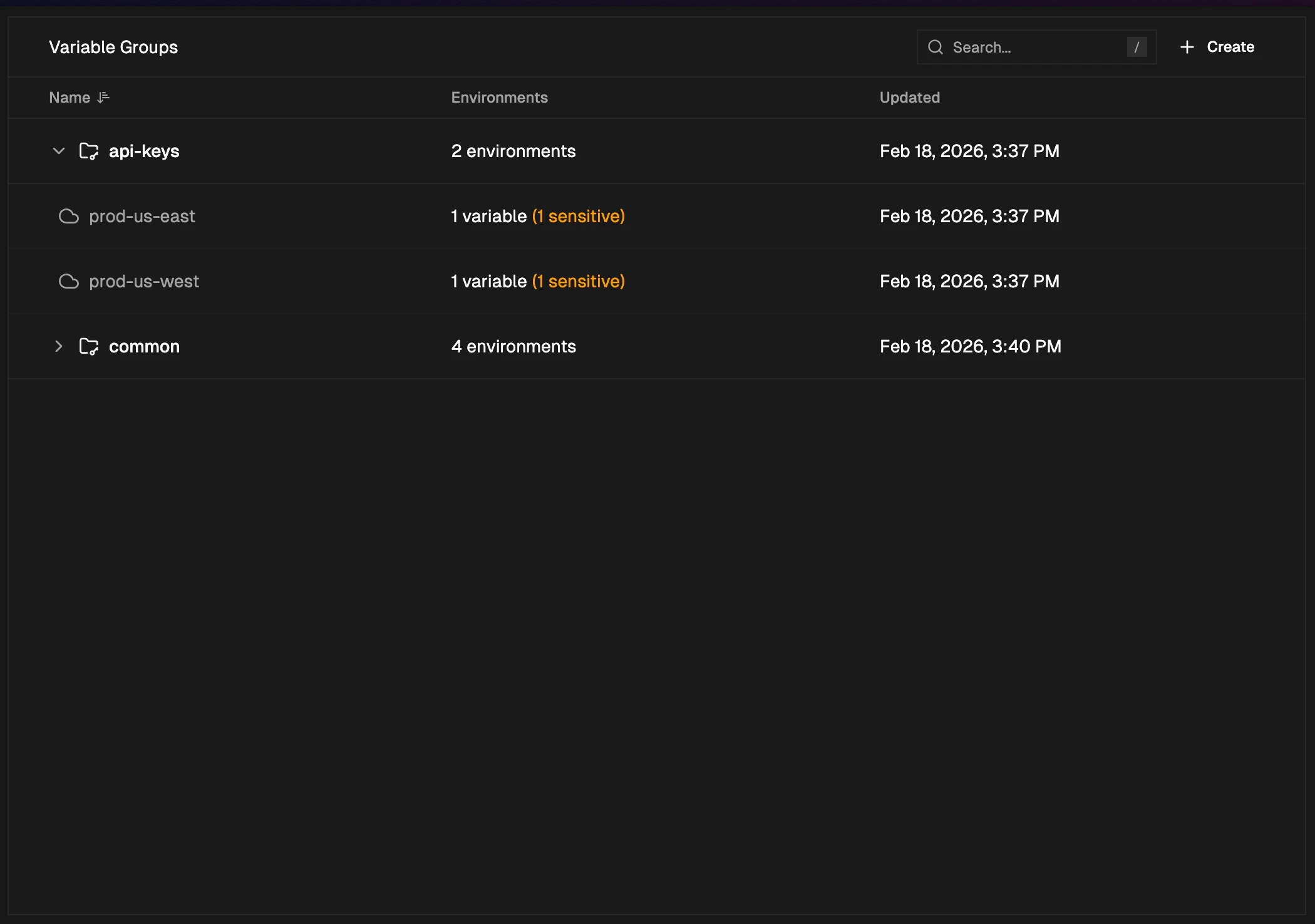
Group names must start with a letter and can contain alphanumeric characters, hyphens, and underscores.
Variable keys follow standard
ENV_VAR naming: start with a letter or underscore, alphanumeric and underscores only.